


 Here you will find issues relating to the SMB Market, Running an IT Business, as well as SBS Specifically, The Triad SBS Group, and some handy How To Aricles as well as random thoughts I stumble across.
 -
While I wasn’t looking I was ReBranded, Windows Server for Small and Medium Business MVP
Posted on July 17th, 2013 3 commentsWell y’all have been hearing for some time now that SBS is dead and gone (well in the process of dying anyways), well to reinforce that idea Microsoft rebranded the SBS MVPs to Windows Server for Small and Medium Business MVPs so I guess that is about as offical as you can get. One might even say the handwriting is not only on the wall but it is all over the internet now. I may have to switch my domain from www.SBS-Rocks.com to www.SBS-Rocked.com oh well life goes on, I will miss you SBS!
-
SA Make Good is Good Now, Thank You Microsoft
Posted on December 20th, 2012 2 comments
A few weeks ago after working behind the scenes for months with The Susan Bradley and a number of the other MVP’s I became frustrated and and wrote THIS POST, calling Microsoft out on the carpet for an SA make good that we did not feel made us whole.
I am very happy to report that today David Fabritius released THIS BLOG POST correcting what a lot of us felt was a raw deal for faithful SA customers. I would like to thank Microsoft and specifically Eric Ligman, Kevin Beares and David Fabritius for their hard work to get this SA make good offer made whole once again. I know a lot of you think that feedback given to Microsoft falls on dead ears, but this speedy resolution just proves they really do listen and when possible take action. To all of you who wrote in at my request, thank you!
On behalf of the loyal SBS SA Customers everywhere let me say THANK YOU Microsoft!
-
SBS SA Make-Good is NOT, Microsoft should be ashamed of itself.
Posted on November 29th, 2012 10 comments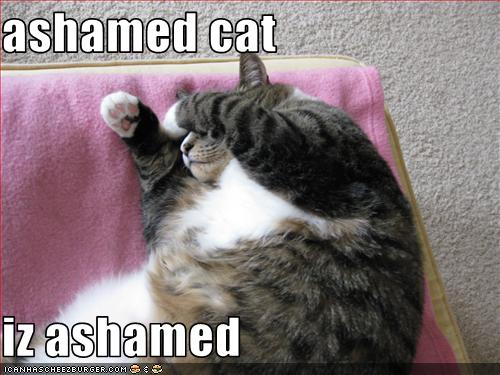
Let me start off with a sincere apology to anyone who took my advice over the years and bought SA for their SBS licenses. In the past when Microsoft killed off a product that had SA on it, there was a reasonable make good offer made. Some offering that would let you continue to run your infrastructure mostly uninterrupted. Not so in the case of the SBS make good.
As we all know by now Microsoft recently put a stake through the heart of SBS. This week my first client’s license is up for renewal so I am working with the disty (License Online in this case) and trying to figure out what to order so my client can continue to run their network in a fashion that makes sense for them. This cannot be done with the current make-good which is one copy of server standard for SBS and one copy of server standard for the PAO add-on. The latter by the way is just fine and what would be expected, one copy of server and one copy of SQL to run on it.
The problem is with the SBS make-good itself.
SBS needs an OS for AD/File&Print and another for Exchange. It requires two OSes to replace SBS. Microsoft’s answer is to virtualize the one copy of server, but that is not necessarily in the best interest of the smaller client and they may not want to go there for any number of reasons. The make good should in all good conscience be a copy of server standard to hold exchange and a copy of Essentials server to hold the AD/File&Print. The Cals are a no brain-er and take care of themselves swapping out SBS Cals for the same number of Server and Exchange Cals. This would be as close to apples to apples as one would expect historically and ethically. It is not reasonable to expect these smaller clients have to bear the overhead and technical challenges of running a virtual network and the additional headaches it involves. I am not concerned about the larger clients; they are probably already looking into or implementing virtualization. I am concerned about the under 25 crowd, the majority of SBS networks.Having trouble following along what the issue is?
Let me try this example.
Let’s compare this to a fire insurance policy.Say you have a 3 bedroom house.
Let’s call those bedrooms AD/File&Print, Exchange and PAO/SQL.
You insure it, let’s call that policy SA.
It burns down.When you call the insurance company they tell you they can’t rebuild your house, what they can do is make you a two bedroom house instead. They will make one bedroom and you can put in bunk beds (let’s call them virtualization) to hold AD and Exchange and then another bedroom to hold PAO/SQL. This is what Microsoft is doing, forcing the small businesses that bought into the SA lie into either buying a copy of Essentials or running their infrastructure in Virtual Servers which many don’t want and is not the best fit for many of them either. They deserve apples to apples like SA always provided in the past. This is how make goods were handled in the past. In this new paradigm SA is a BAD INVESTMENT, since you are no longer guaranteed a reasonable make good. Microsoft’s word is no longer to be trusted regarding SA when they say they will take care of you. They are leaving us holding the bag and out in the cold, a bedroom short if you will.
I and many of the SBS-MVP’s having been having this fight for you behind the scenes for months now. We have not been able to get anyone at Microsoft to see reason. To be fair a few folks have understood the problem and agreed with us, but were powerless to get it fixed. Every time it looks like they finally get it, someone throws a monkey wrench into the works. It appears the only way to get them to be reasonable is to become a squeaky wheel, so to speak. So please, if you find yourself in this position with your clients, write to the powers that be at Microsoft and let your dis-satisfaction and your opinion be heard. It is the only way they may right this wrong.
Here are a few folks you can contact to pass along you views. Please keep in mind as you write to them, they are not the problem. Don’t take out your frustrations on them. They are stuck in the middle, but they can pass along your collective views to those in power to try and right this wrong.
David Fabritius David.Fabritius@microsoft.com
Clinton Ho Clinton.Ho@microsoft.com
Kevin Beares KBeares@microsoft.com
Eric Ligman ELigman@microsoft.com
Kevin Turner Kevin.Turner@microsoft.com
Steve Ballmer Steveb@microsoft.com (the buck stops here)Your Community Advocate,
HandyAndy -
Microsoft announces RTM of W12 Essentials Today
Posted on October 9th, 2012 No commentsGot this note from from Dave Seibert and thought I would share it since he took the time to list all the links, Thx Dave!
Microsoft announces RTM of W12 Essentials. Several MS documents have also been revised or updated with the latest W12 Essentials information.
Here are a few highlights & linked docs to share with everyone:
* W12 Essentials is now in RTM. The downloadable bits are available from the Eval Center
http://technet.microsoft.com/evalcenter/jj659306.aspx* There is a virtual demo environment available online hands-on-lab http://online.holsystems.com/Software/holLaunchPadOnline/holLaunchPadOnline.application?eng=SBS2011&auth=none&src=SBS&altadd=true&labid=6253>
* W12 Essentials updated Licensing & Pricing FAQ’s W12 FAQ
http://download.microsoft.com/download/4/D/B/4DB352D1-C610-466A-9AAF-EEF4F4CFFF27/WS2012_Licensing-Pricing_FAQ.pdf> (see Q35-Q46)* W12 Essentials updated Licensing Data Sheet
http://download.microsoft.com/download/0/4/B/04BD0EB1-42FE-488B-919F-3981EF9B2101/WS2012_Licensing-Pricing_Datasheet.pdf* Reference to the full W12 Essentials Product page
http://microsoft.com/essentials2012* Foundation Server 2012 licensing & pricing remain the same
http://www.microsoft.com/en-us/server-cloud/windows-server/2008-r2-foundation.aspxOn an overall note, most will recall that SBS information was posted individually for easy reading for SB focused partners. Now the Essentials information is listed within the Window Server 2012 Family documentation. I hope that Microsoft separates or makes it easier for us to follow Essentials progress.
___________________________________
Dave Seibert
SMB Technology Network, Executive VP!
www.SMBTN.org
IT Innovators, Inc.
www.ITinnovators.com -
SBS may have been EOL’d but not HA (yet)
Posted on October 1st, 2012 1 commentJust heard I have been awarded the Microsoft MVP for Small Business Server for the tenth year running. I would like to thank all of you that belong to the SMB Community for helping to make it something I enjoy being part of and supporting so much to enable me to qualify for this award repeatedly! With the announcement of the End Of Life of SBS I was not sure they would keep me around any longer, but apparently the good follks at Microsoft still see some value in my input. I would have have thought they would be tired of me saying “You’re doing what” by now :>)
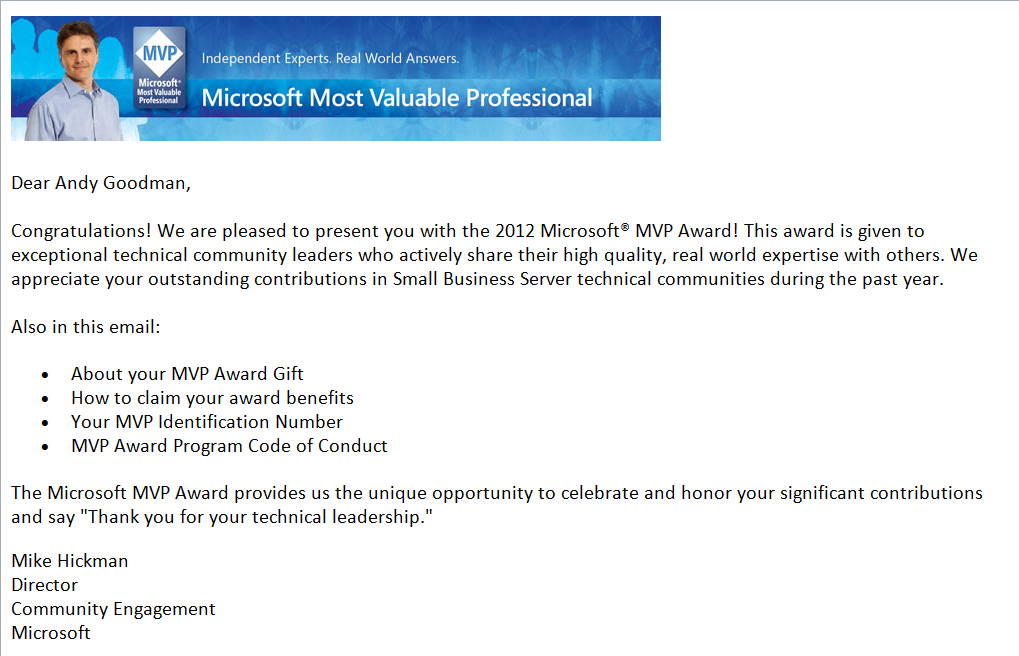
HA renewed for another year!
Thank You All for Your Support through the years,
HA -
Like Mark Twain before it the news of the death of SBS has been greatly exaggerated!
Posted on July 9th, 2012 7 comments
What Microsoft actually said was there would not be another version of the on premises version of SBS developed. SBS 2011 is the last one, but it is not dead yet. It will be available for a year through most channels and a year and a half through the oem channel. It will be supported and patched. That is not dead, that is ample notice that there will be no new version, so if you need an on prem suite get busy and deploy it now. This is in sharp contrast to how they handled the death of EBS where they just pulled the plug while the next version was in Beta.
I am not telling you there are not big changes afoot, there are. But you have time to figure out what you want to with your business and what direction you want to take it. There are still going to be clients not in a mad race to the cloud and they are going to need servicing. You have ages in computer time to adjust and learn some new technology so when SBS is really dead you have the skills to still deliver an on prem solution stack, most likely based on some virtualization technology. And yes you are going to have to learn how to install the pieces you want in your stack, daddy is not going to do it for you anymore. Don’t get me wrong I have loved SBS through its entire existence, but this is not the end of the world.
If you were you I would be more concerned with Microsoft’s abandonment of the SMB Channel in favor of its enterprise partners as well as direct delivery of software and services via the cloud. This seems to me to be a bigger threat than the end of SBS which they have been slowly deprecating since its heyday in 2003. This may be just what the User Group or IT Pro Group world required to start a long needed revitalization. Microsoft is not going out of the software business, just changing the rules of how we need to do business with them and opening the door for someone else to step in and lead the SMB Channel that they apparently no longer care about.
We need to figure out how to do business with Microsoft as an adversary instead of a partner, because like it or not they still have the solutions most of our clients want/need. So we must find a way to move forward that is profitable for us and profitable for Microsoft, for if we don’t we will all need to learn to flip burgers and if we do that, we certainly will drive down the value of burger flipping.
So as you can see the sky is not falling, this is just your wake up call to get busy and take the reins of your future and stop letting Microsoft drive your bus, hop up in the seat and take the wheel!
EDIT Actully this webinar is tomorrow not today 7/10/2012 6:00pm PST, (Thx Russ for pointing it out)
BTW I highly recommend you join in the conversation being hosted by my friend Amy Babinchak at http://www.thirdtier.net/2012/07/webinar-future-of-small-business-it/What is this all about, in case you have been sleeping under a rock,
http://blogs.technet.com/b/sbs/archive/2012/07/05/windows-small-business-server-essentials-becomes-windows-server-2012-essentials.aspxAlso checkou this pdf, http://go.microsoft.com/fwlink/?Linkid=257790
-
TRUSTED IDENTITY Faith in a Technology World
Posted on May 7th, 2012 No commentsJust got this note from Jeff and thought I would share with y’all  An invitation from Jeff Middleton, SBSmigration.com Founder and host of IT Pro Conference 2012.
Our conference is a month away, and last week we announce the blend of 17 MVPs plus 6 respected technology experts who are the speaker for the conference. These are people you likely have met online or heard of, and now you have a chance to spend the weekend in one on one discussions with them. The sessions are now listed here: View Session Outlines and PresentersIn addition to the sessions on the website, we will have breakout presentations by BackupAssist as well as StorageCraft to highlight two of the leading products for backup and disaster recovery. Our own presentation team will provide demo’s and session content on:
- Win8 Server Improved Manageability
- Understanding the VDI Desktop Opportunity
- How Your Secure WiFi and Wireless is Easily Hacked
- The Security Exposure of Using Social Media
Please take a moment, scroll down to see the outstanding speaker list, and what we are offering for Pre-Day content and full conference opportunity. The 2-day conference plus a pre-day deep dive are a great investment in knowing what’s new in technology and growing concerns about privacy and identity protection.
As a reminder, we provide outstanding food, parties, and technical content for the duration…all included in the registration pricing.
Please also take this as a personal invitation from me to you to join us, I would be delighted for you to take part in our great event.
Best regards,
Jeff Middleton
SBSmigration.comFor your quick reference, here’s the speakers line-up this year:
Recognition Name State/Country Security MVP Dana Epp Canada SBS-MVP Susan Bradley CA, US SBS-MVP Amy Babinchak MI, US Security/Technologist Lawrence Teo NC, US Security Trainer Jay Ferron FL, US SBS-MVP Cal McLennan Canada SBS-MVP Jeff Middleton LA, US SBS-MVP Cliff Galiher MT, US Third Tier (Support) Jeremy Anderson CA, US SBS-MVP Marina Roos Netherlands SBS-MVP Dave Nickason NY, US SBS-MVP Kevin Royalty OH, US SBS-MVP Eriq Neale TX, US WHS-MVP Grey Lancaster NC, US Third Tier (Support) Brian Higgins MI, US Exchange MVP Dave Shackelford WA, US SBS-MVP Larry Struckmeyer FL, US SBS-MVP Tero Leskinen Finland IT Pro Expert-MVP Mitch Garvis Canada SBSC Advisory Karl Palachuk CA, US SBS-MVP Jason Miller Canada Security/Legal Ben Yarbrough NC, US IT Pro Expert-MVP Jessica DeVita CA, US SBS-MVP Andy Goodman NC, US Pre-Day Content to keep in mind:We have a Pre-Day by Third Day Brain Explosion (Thursday June 7) which includes: - IPv6 Right Now Presented – by Cliff Galiher
- Active Directory Management Presented – by Brian Higgins
- Exchange 2010 Compliance and Archiving Presented – by David Shackelford
- Managing Data Encryption Presented – by Jeremy Anderson
Our main conference (Fri/Sat June 8-9):
CONFERENCE THEME 2012 TRUSTED IDENTITY: Faith in a Technology World - Who are you and why would I believe it?
- Why should I trust you electronically, ethically, or in reality?
View Session Outlines and Presenters Register Now! Read Jeff’s Welcome Summary Registration: - Attendee 2-Day $495, or 9-Day $595 (plus cruise fare & lodging)
- Guest 2-Day $195, or 9-Day $295 (plus cruise fare & lodging)
June 7-17, 2012 are the events dates for pre-day, weekend conference and cruise. 
-
SMB Nation What Does Your Inner Geek Need
Posted on August 11th, 2011 1 commentAfter the last SMB Nation I sat in on the town hall meeting. The overwhelming request was for more technical content.
Well here is your chance to help shape the upcoming SMB Nation Fall Conference. Harry has left 5 slots open for us to to tell him what we want to see. He has put up a SURVEY to gather our (ours and mine) input and then he will go out and find people to present just what you want top hear.
Please take 3 minutes and fill out the short survey it will help shape the conference to be just what you want!
Please pay particular attention to the last question, this is were you can have the most influence!
-
A Fine Day for Installing Exchange 2007 Rollup 4
Posted on July 9th, 2011 No commentsA few days ago Microsoft released Exchange Server 2007 Service Pack 3 Roll-up 4 and after kicking it’s tires on in my test lab, I decided today was a good day to roll it out. Thought you might like to come along on the journey.
First because it is a very good practice, reboot the server before you start any updating, it is always a great idea to start from a clean known state.
Next since there is apparently no way to tell if the Schema Update has actually been run from SP3 (remember all the trouble this caused) I thought it would be prudent to just run it again. It is a pretty simple process and won’t hurt anything if run again . Just grab a copy of Exchange 2007 SP3 and from an Administrative Command Box expand it out and run the command “Setup.com /PrepareSchema” this is what it will look like.
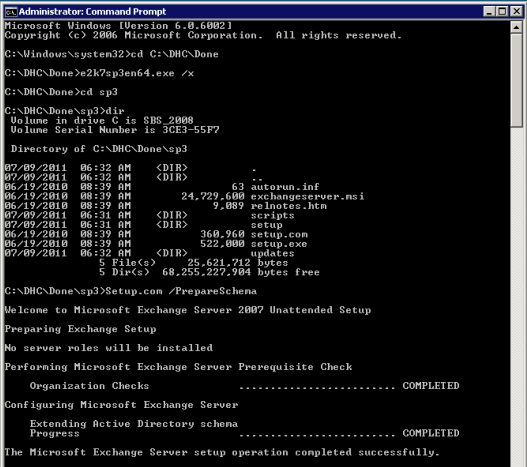
- Schema Update
Once that finishes you can go ahead and run the roll-up without rebooting again. Grab a copy of
Update Rollup 4 for Exchange Server 2007 Service Pack 3 (KB2509911)
I had some trouble getting it to run correctly from an explorer window, so I went out to an administrative command prompt (I probably could have used an administrative explorer window also but did not try)
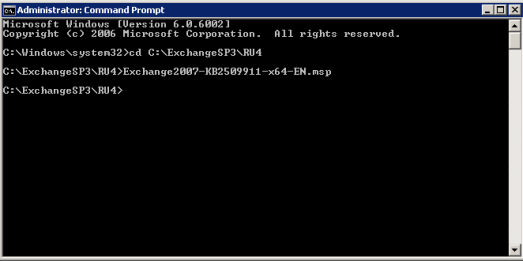
Start RU4 Update
Now the familiar GUI will start up with the proper permissions, so it does not bomb out in the middle of the process and roll back.
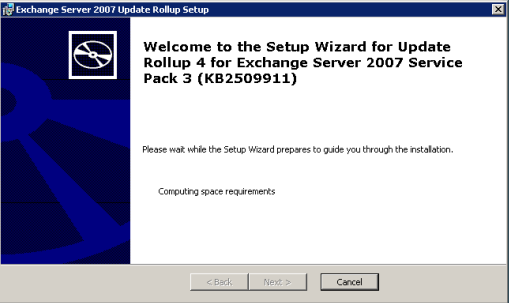
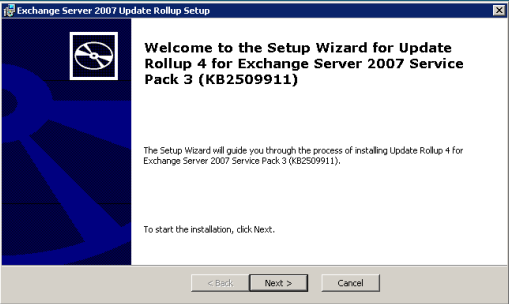
The first few screens are the regular click next exercise
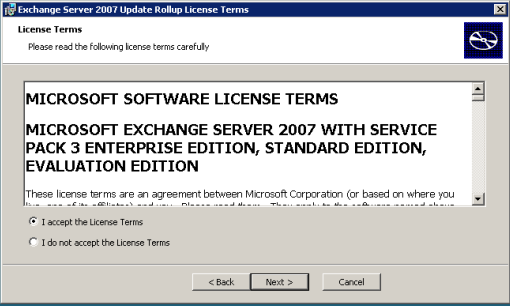
This next phase may take quite a while be patient

Still with me?
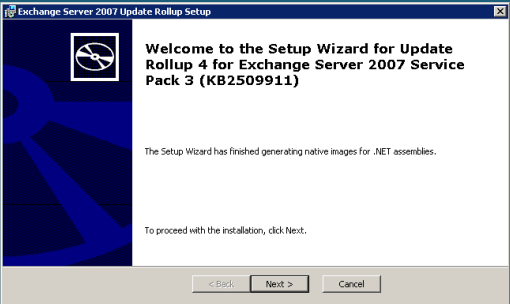
Several minutes that’s for sure
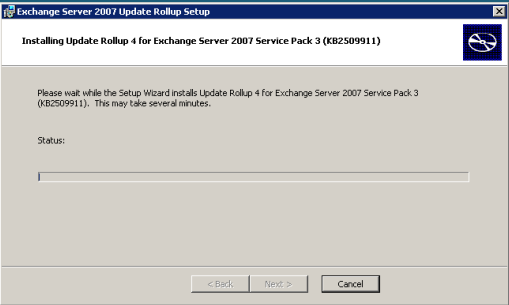
Now things are looking up, we are stopping the services so we can get busy
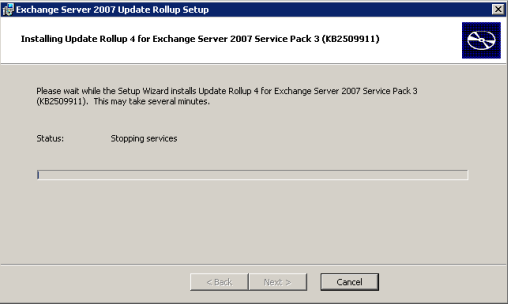
It is making sure we have a solid foundation to build on
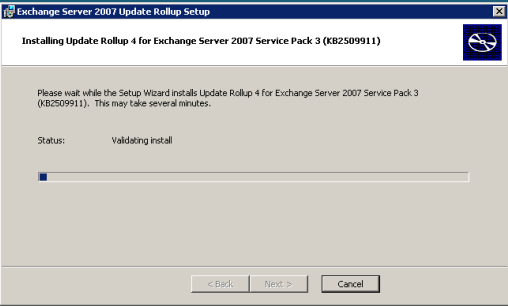
Copying looks like it is quick, don’t be fooled

Ya I know the bar is all the way across, but it will start up a few more times
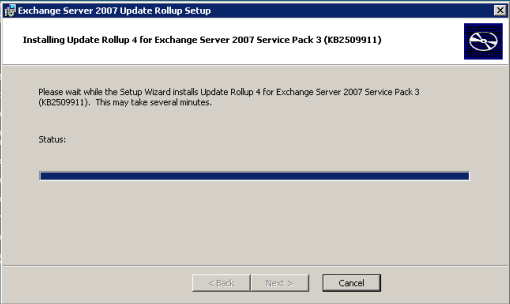
Now it will rebuild the files with the updates
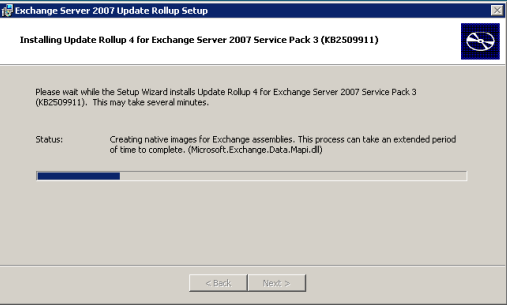
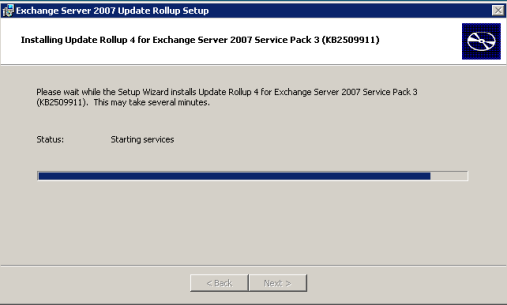
It starts up the services, if everything went right
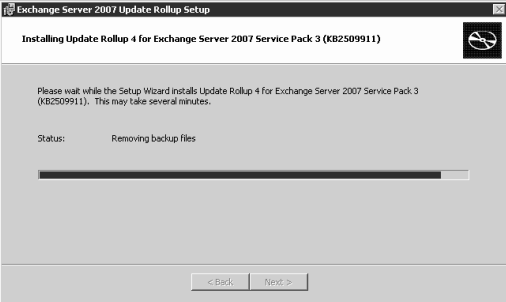
Removing backup files is usually a very good sign
How I do like a positive outcome, I have done this on a number of systems yesterday and today
and they took anywhere from 45 minutes to 2 hours, give yourself plenty of time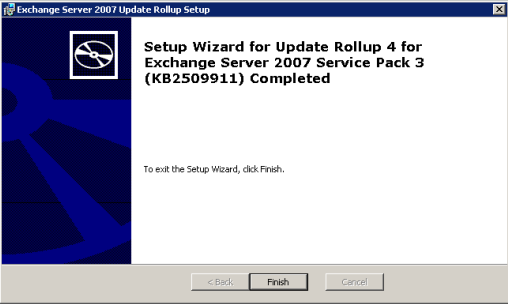
Yes you do have to do a final reboot, the server is not in a stable state until you do!
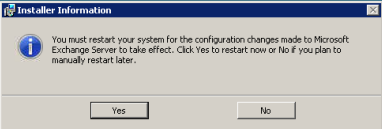
Hope your day and your roll-up goes smoothly!
-
SMB MVP Community Roadshow Triad Stop
Posted on June 29th, 2011 No comments I am excited to announce that the International SMB MVP Community Roadshow will be making a stop at my IT Pro Group “The Triad SBS Group” on August 2nd. This is a different kind of IT event although it is sponsored by HP & Microsoft the content is totally under control of the MVP’s and SBSmigration.com who is producing the entire tour as an offshoot of their annual conference.
The content is focused on the new SMB Stack from Microsoft, but is not a bunch of marketing PowerPoint’s, it is real world content built by a team of MVP’s, presented by a rotating team of MVP’s and demo’d on current shipping HP hardware. These are all real world current solutions you can deploy today, all focused on the SMB segment. The actual presenters have the ability to adjust the presentation to the local audience at their discretion. It looks to be a great event spanning almost a year to cover some 90 cities internationally; the first wave is about 6 months and should cover some 60 cities. I look forward to attending a few of the events as the content will be a little different at each one.
You can get more info about the tour HERE and you can follow the tour by liking their Facebook Page. You can also follow the chatter on Twitter.
You can check to see if there has been a tour stop setup yet in your local area by checking HERE and if you are anywhere near the Triad Area and want to attend our event you can register HERE.
Oh Ya, there is a little gnome traveling around with the tour and you can friend him HERE to see pics and updates from local events as he travels the world.
Note: for Group Leaders, you can request a tour stop in your area HERE