


 Here you will find issues relating to the SMB Market, Running an IT Business, as well as SBS Specifically, The Triad SBS Group, and some handy How To Aricles as well as random thoughts I stumble across.
 -
Microsoft announces RTM of W12 Essentials Today
Posted on October 9th, 2012 No commentsGot this note from from Dave Seibert and thought I would share it since he took the time to list all the links, Thx Dave!
Microsoft announces RTM of W12 Essentials. Several MS documents have also been revised or updated with the latest W12 Essentials information.
Here are a few highlights & linked docs to share with everyone:
* W12 Essentials is now in RTM. The downloadable bits are available from the Eval Center
http://technet.microsoft.com/evalcenter/jj659306.aspx* There is a virtual demo environment available online hands-on-lab http://online.holsystems.com/Software/holLaunchPadOnline/holLaunchPadOnline.application?eng=SBS2011&auth=none&src=SBS&altadd=true&labid=6253>
* W12 Essentials updated Licensing & Pricing FAQ’s W12 FAQ
http://download.microsoft.com/download/4/D/B/4DB352D1-C610-466A-9AAF-EEF4F4CFFF27/WS2012_Licensing-Pricing_FAQ.pdf> (see Q35-Q46)* W12 Essentials updated Licensing Data Sheet
http://download.microsoft.com/download/0/4/B/04BD0EB1-42FE-488B-919F-3981EF9B2101/WS2012_Licensing-Pricing_Datasheet.pdf* Reference to the full W12 Essentials Product page
http://microsoft.com/essentials2012* Foundation Server 2012 licensing & pricing remain the same
http://www.microsoft.com/en-us/server-cloud/windows-server/2008-r2-foundation.aspxOn an overall note, most will recall that SBS information was posted individually for easy reading for SB focused partners. Now the Essentials information is listed within the Window Server 2012 Family documentation. I hope that Microsoft separates or makes it easier for us to follow Essentials progress.
___________________________________
Dave Seibert
SMB Technology Network, Executive VP!
www.SMBTN.org
IT Innovators, Inc.
www.ITinnovators.comUncategorized -
Windows 8 To Go Gottcha to watch for!
Posted on October 2nd, 2012 No commentsWindows To Go was a new feature introduced in Windows 7, it is really handy way to carry a secure copy of the operating system around with you. You just plug your boot-able thumb drive into a handy computer, reboot it and all your private information a history stays on the thumb drive not on the computer you borrowed. It does take a good sized drive and USB 3 really speeds things up.
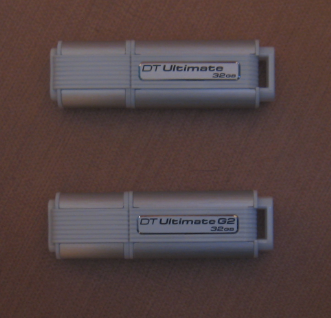
They look alike don’t they? Well after wasting a few hours trying and trying to redo one of my 32Gb Data Travelers that was booting Window 7 just fine (the top one), I broke down and called Kingston. Apparently windows only allows one partition on removable media and Windows 8 To Go requires 2 partitions. So Kingston had to release a new version of the Data Traveler just for Win 8 (the bottom one), I am reasonably sure the other manufacturers will have to do something similar. So do your homework and make sure the drive you are going to buy specifically says it will support Windows 8 Bootable Windows To Go. The trick to knowing on the Data Traveler is the Model Number will start with KW instead of DT, this number is stamped on the metal part of the USB plug, I tried to get a picture but it was impossible to see. So here is what the card looks like that is in the package of the correct model. If you want to look on the metal tounge of the USB plug I recommend bringing a strong magnifing glass to the store with you.
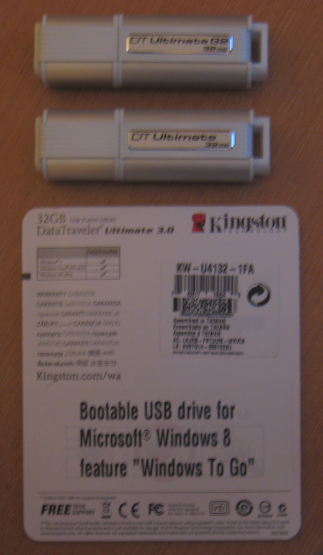
Look for thje KW beginging the model number
Something else you should know the process to create the Windows to go drive has changed as well.
Here is a link to the process for creating both the Windows 7 & Windows 8 versions http://tweaks.com/windows/52279/how-to-create-a-windows-to-go-usb-drive/Uncategorized -
SBS may have been EOL’d but not HA (yet)
Posted on October 1st, 2012 1 commentJust heard I have been awarded the Microsoft MVP for Small Business Server for the tenth year running. I would like to thank all of you that belong to the SMB Community for helping to make it something I enjoy being part of and supporting so much to enable me to qualify for this award repeatedly! With the announcement of the End Of Life of SBS I was not sure they would keep me around any longer, but apparently the good follks at Microsoft still see some value in my input. I would have have thought they would be tired of me saying “You’re doing what” by now :>)
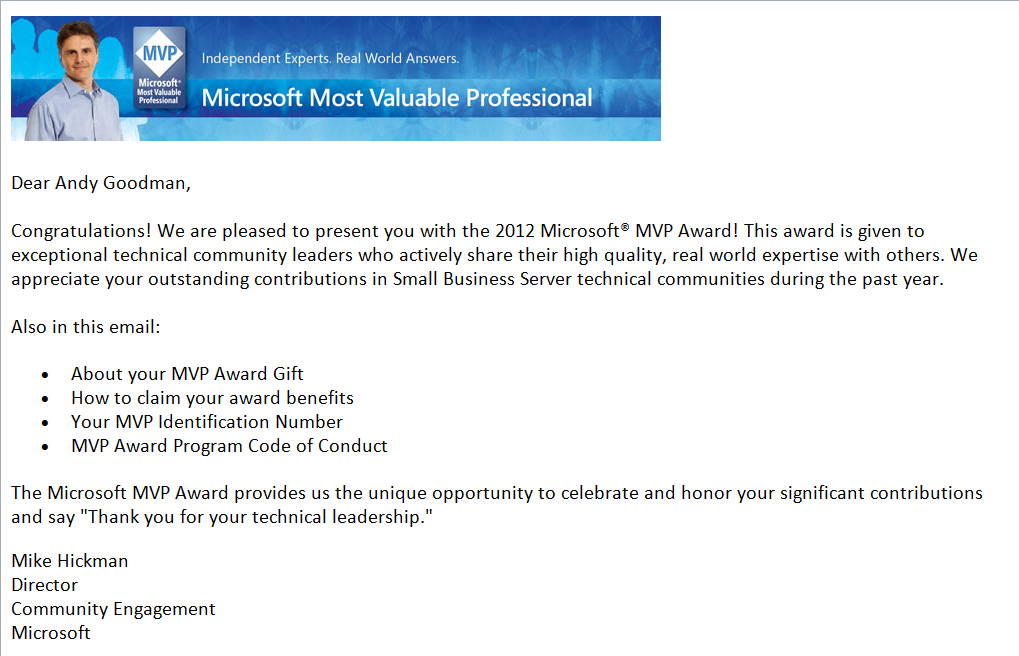
HA renewed for another year!
Thank You All for Your Support through the years,
HAUncategorized